Page 1 of 5
[RESOLVED] Windows 10 WAPT Deployment
Published: April 19, 2022 - 4:01 PM
by florian777
Hello,
I'm currently trying to deploy Windows 10 using the WAPT redeployment solution. So far, I've managed to send the various files:
- baseipxe / get_host_ipxe / runinstall_uefi.pxe / boot.sdi and boot.wim,
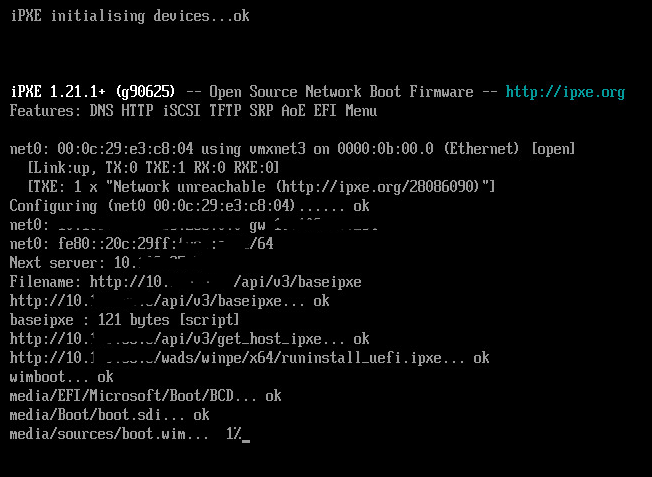
but as soon as the Windows installation starts, this window opens for about 5 minutes:
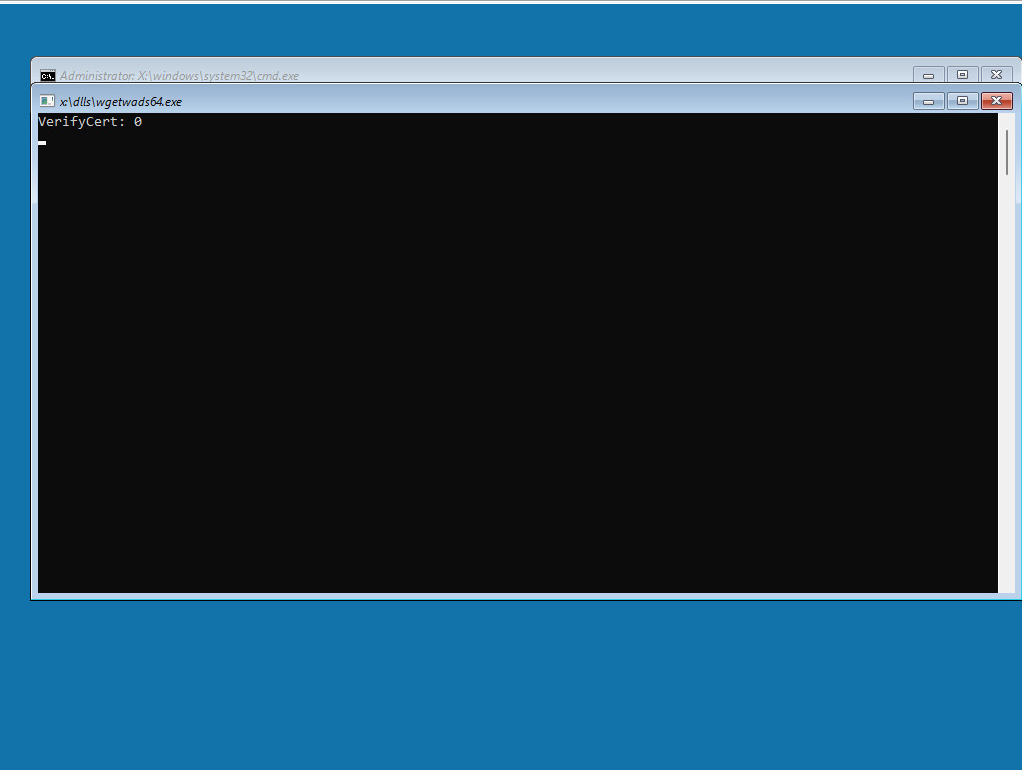
then it closes and I'm stuck on this second window:
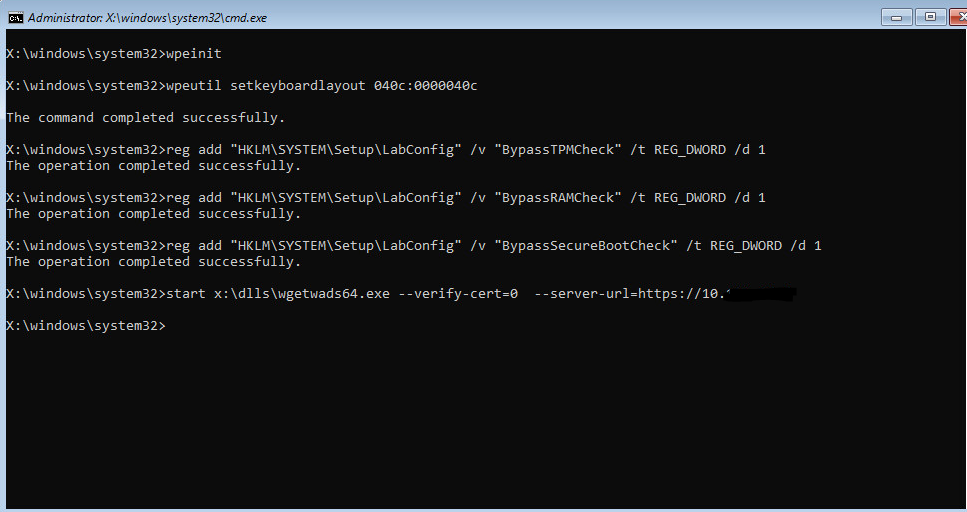
so if anyone has a solution, I'd be very grateful.
Re: Windows 10 WAPT Deployment
Published: April 20, 2022 - 2:08 PM
by dcardon
Hello florian777,
what version of WAPT are you using? What OS/server version?
This is a problem that has been reported to us and occurs when the network takes too long to connect in WinPE. A fix was included in the latest version, wapt-2.2.1.11899-2d82654e.
Note: you must run postconf.sh after installation (nginx configuration as well).
Regards,
Denis
Re: Windows 10 WAPT Deployment
Published: April 20, 2022 - 4:10 PM
by florian777
Hello,
here is the WAPT version. Unfortunately, the problem seems to persist with "register host (ipxe)".
However, by using "register host (winpe64)", I managed to perform two deployments, but I had to restart about ten times to succeed.
WAPT version: 2.2.1.11899 rev 2d82654e
Server: Windows 2016
Thank you.
Re: Windows 10 WAPT Deployment
Published: April 21, 2022 - 3:19 PM
by florian777
Also, something to add: 90% of the time during IPXE initialization (downloading boot.wim files, etc.), the IP address the machine receives is the one specified in my DHCP reservation. However, as soon as it enters the Windows environment, I get an APIPA address, which means the client can no longer connect to the WAPT server
Re: Windows 10 WAPT Deployment
Published: April 21, 2022 - 3:40 PM
by chris2b
Hello, following up on this post, I have a problem.
I followed the webinar and the documentation.
Here is the information:
WAPT Server version: 2.2.1
WAPT Agent version: 2.0.0.9428
WAPT Setup Version: N/A
WAPT Deploy version: 2.2.1.11899
Base status: OK (2.2.5.1)
On a Windows 2019 server.
Wapt console on Windows 10 (also tested on Windows 11)
I configured DHCP and TFTP, but when I start the client machine, it boots into a loop on the ipxe.efi file
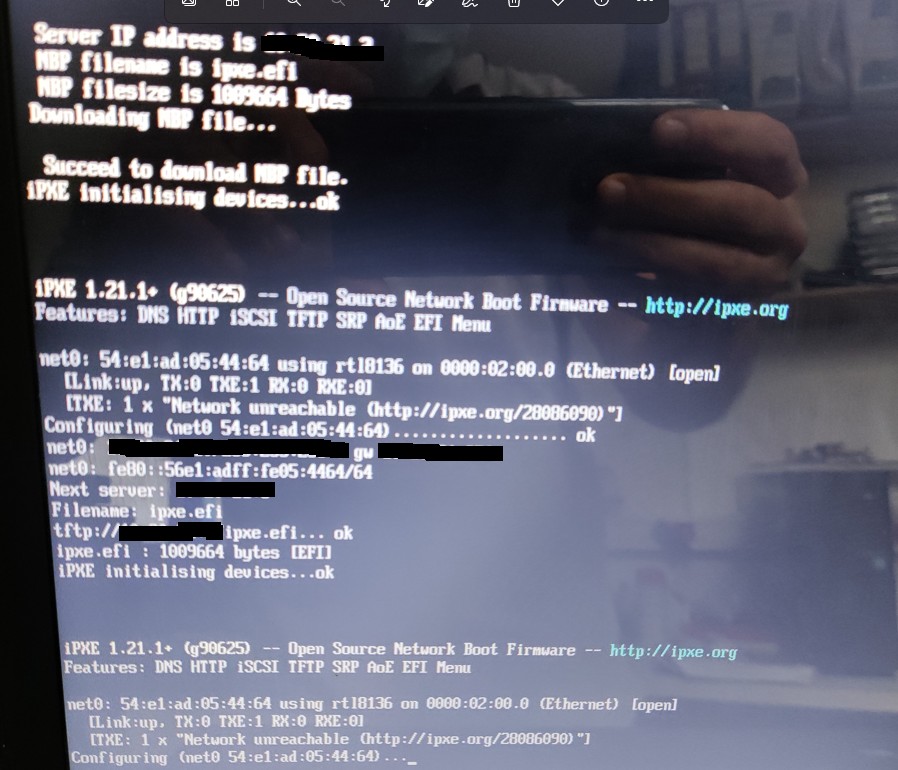
- Untitled 1.jpg (140.59 KB) Viewed 21104 times
I don't know what to do, I never get the menu, I'm stuck at this step.
I have 37 machines arriving on May 9th, it would be very useful for me to be able to deploy them with the software packages.
Re: Windows 10 WAPT Deployment
Published: April 21, 2022 - 4:00 PM
by florian777
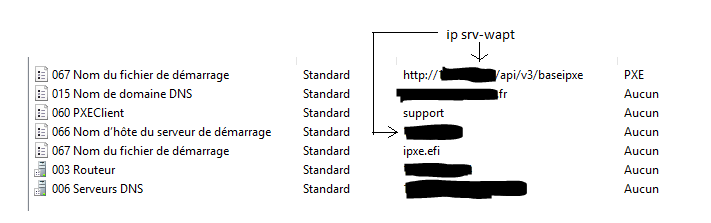
Regarding DHCP, do you have roughly this configuration?
Re: Windows 10 WAPT Deployment
Published: April 21, 2022 - 4:06 PM
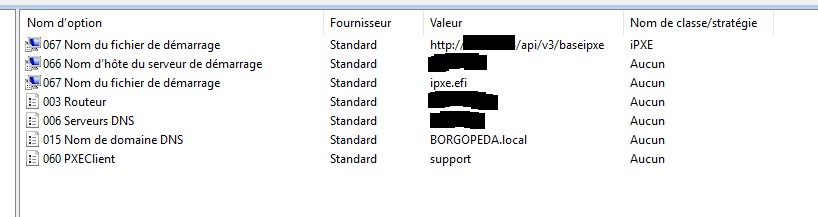
by chris2b
Yes
- Untitled 2.jpg (40.04 KB) Viewed 21092 times
Re: Windows 10 WAPT Deployment
Published: April 21, 2022 - 4:57 PM
by chris2b
Good morning,
I redid everything from the beginning and it's good, I get the menu, I select register ipxe.
I then go to my Wapt console to launch the deployment and it tells me to prepare the join; when I click yes I get
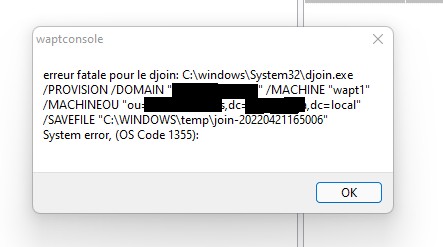
- Untitled 3.jpg (23.51 KB) Viewed 21085 times
I'll do some research...
Re: Windows 10 WAPT Deployment
Published: April 22, 2022 - 9:46 AM
by florian777
Did you also experience the problem of the IP configuration changing when you go through the Windows installation process?
Re: Windows 10 WAPT Deployment
Published: April 22, 2022 - 12:39 PM
by dcardon
Hi Floriant,
do you see the requests arriving on your DHCP server when WinPE starts?
Is your test machine a laptop with a USB-C dock? We've had cases where the laptop's MAC address is used during PXE boot, and then the laptop's MAC address is used in WinPE.
Regards,
Denis