Page 1 of 1
Wua - Various questions
Published: November 20, 2024 - 7:54 AM
by Clafon
Wapt version: 2.5.5.15697 - Enterprise Edition
Server OS: Debian 12
Target operating systems: Windows 10
Os Machine administration: Win server 2022
Good morning,
We recently implemented WAPT with the WUA function, however there are a few points we cannot explain:
1- Update notifications appear. The oldest PC in our fleet dates from 2019, but we are seeing updates dating back to 2017 that are long outdated
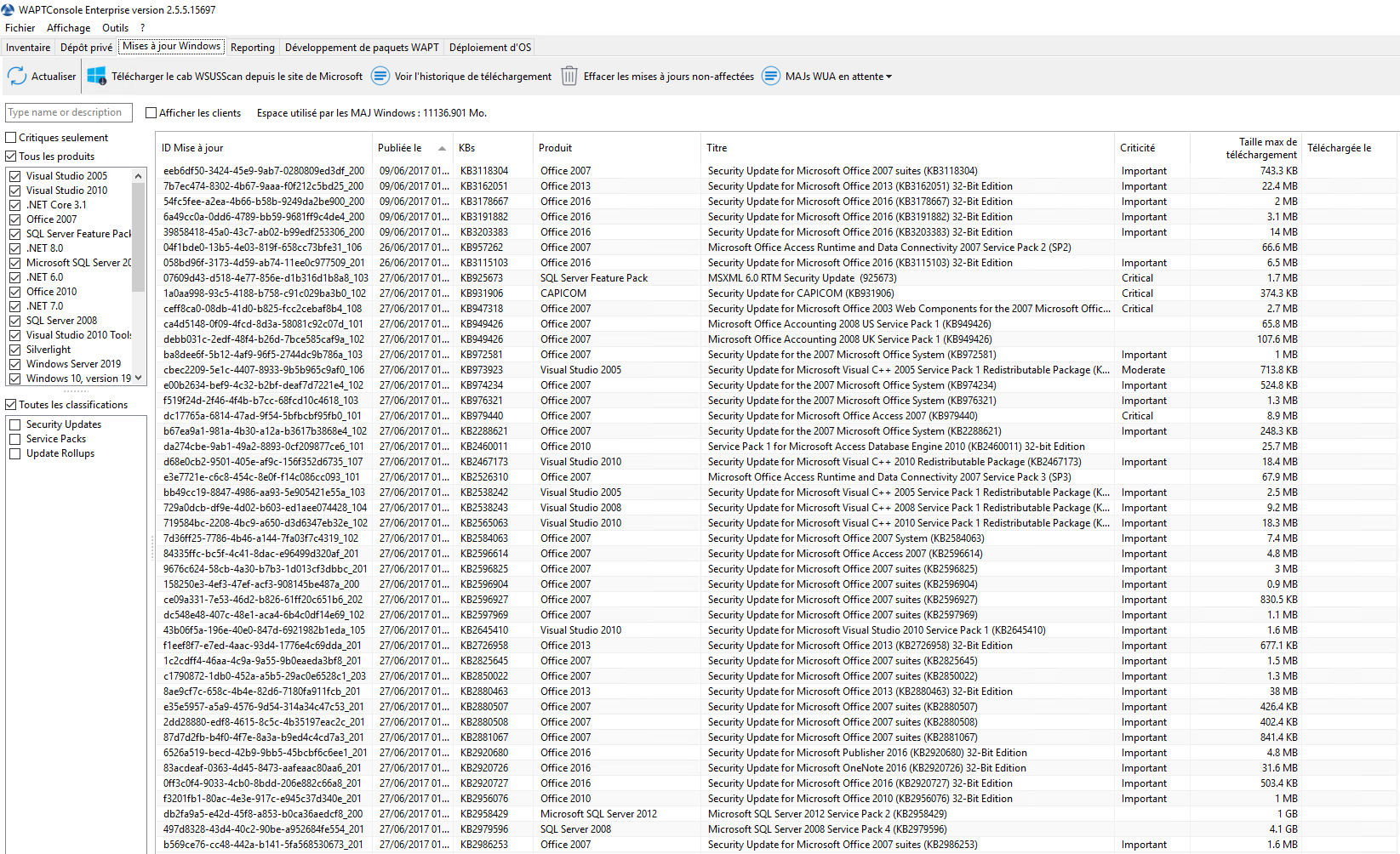
- wua_date_maj.PNG (233.82 KB) Viewed 5269 times
Is this normal?
2- Regarding these updates, we created a package, type wsus, but my colleague and I do not have the same view of the updates when we edit it.
- Her: She only sees the allowed updates.
Me: I see both the allowed updates and those that aren't yet allowed.
3- We initially planned to implement a wsus-type package for workstations and another for servers, but given the not very user-friendly interface, we're wondering if this is really the right approach. How do you handle this?
THANKS
Re: Wua - Various questions
Published: November 20, 2024 - 12:26 PM
by sfonteneau
clafon wrote: ↑Nov 20, 2024 - 07:54
1- Update notifications are appearing. The oldest PC in our fleet dates from 2019, but we are seeing updates dating from 2017 that are long outdated.
Is this normal?
If they were detected by Windows Update, they're still relevant. You can click on "View clients" by clicking on the CAB file to see the relevant post. These appear to be CAB files related to Office 2007, so I'm not surprised
clafon wrote: ↑Nov 20, 2024 - 07:54
2- Regarding these updates, we created a package, type wsus, but my colleague and I do not have the same view of the updates when we edit it.
- Her: She only sees the allowed updates.
Me: I see both the allowed updates and those that aren't yet allowed.
In version 2.5, there was a minor refresh bug; you absolutely had to go through the Windows Update tab and click "Refresh" to get a proper view. This bug has been fixed since version 2.6
clafon wrote: ↑Nov 20, 2024 - 07:54
3- We initially planned to implement a wsus-type package for the workstations and another for the servers, but given the not very user-friendly interface, we're wondering if this is really the right approach. How do you proceed?
It all depends on how you operate. But I didn't understand your problem with the visualization
Re: Wua - Various questions
Published: November 21, 2024 - 5:04 PM
by Clafon
Thank you for your feedback and explanations.
Regarding the update visualization, we don't find it intuitive (or perhaps we're doing it wrong, which is quite possible) to know which updates are intended for which machines (except for OS updates). Basically, how do we know if a .NET 8.0 update should be applied to a server or a machine? When editing the "Wua" package to "Allow" updates, there seems to be a missing field for "affected machines"—that's just our opinion.
Or perhaps we need to change our workflow: allow everything and let the machines choose what to apply. It's a real question.

Re: Wua - Various questions
Published: November 22, 2024 - 1:51 PM
by sfonteneau
clafon wrote: ↑Nov 21, 2024 - 5:04 PM
Basically, how do you know if a .NET 8.0 update should be applied to a server or a machine? When editing the "Wua" package to "Allow" updates, there seems to be a missing field for "affected" machines; this is just our opinion.
Your comment is relevant; currently, if you want to see the list of machines involved in a cab, you cannot do so from this window.
You have to go through "Windows Update", find the cab and click on "show clients".
It should be possible to search from this window. I'll open an internal ticket for this