Page 1 of 2
OS Deployment Problem - WADS
Published: August 6, 2025 - 2:40 PM
by Serv_info
Good morning,
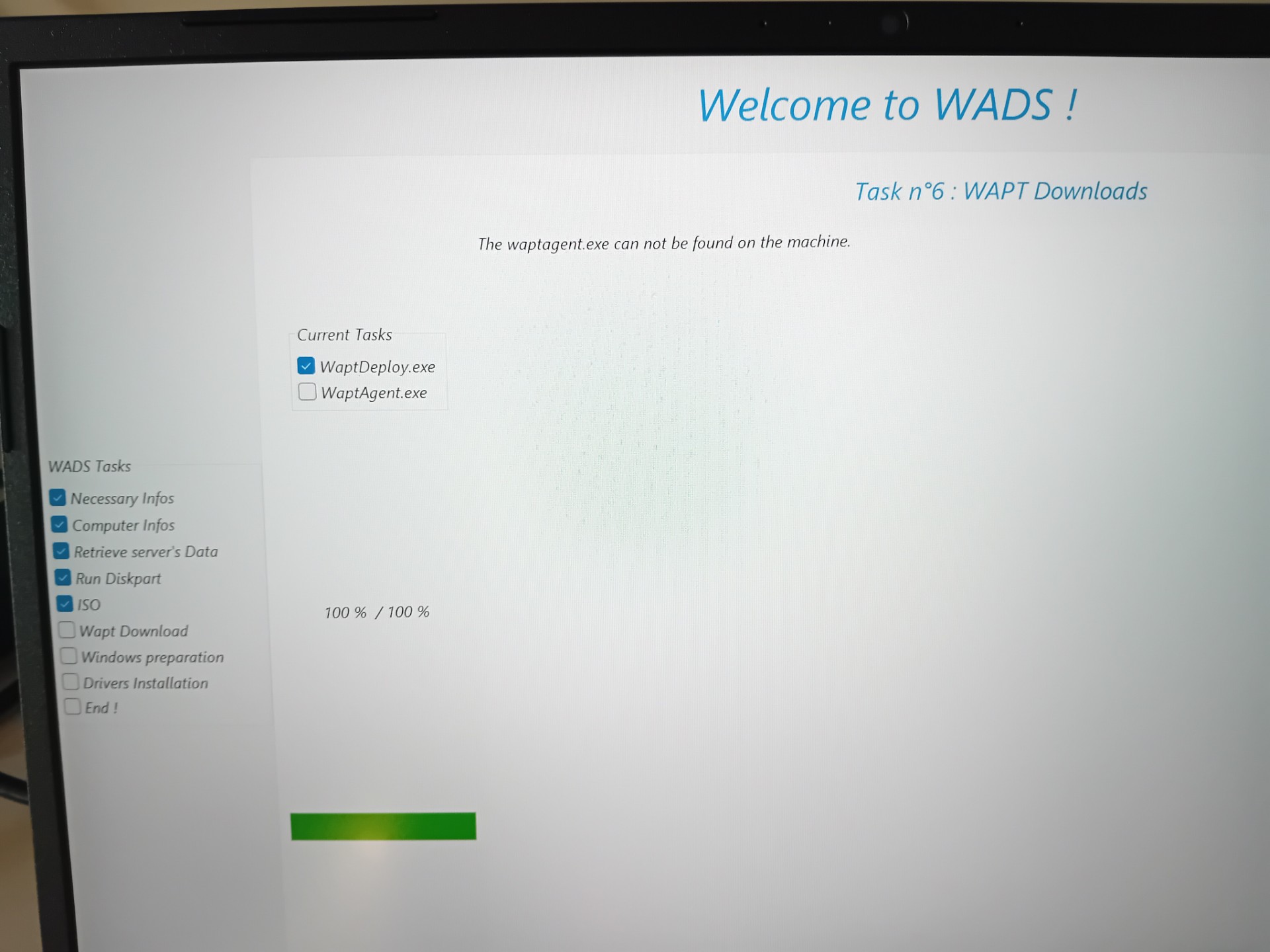
We are having problems with the OS deployment; the installation is stuck on the waptagent.
- thumbnail_20250806_141919.jpg (242.18 KB) Viewed 31288 times
We have the latest version:
WAPT Server version: 2.6.0.17392
WAPT Agent version: 2.6.0.17392
WAPT Setup version: 2.6.0.17392
WAPT Deploy version: 2.6.0.17392
DB status: OK
Have you ever had this problem?
Thank you for your feedback
Re: OS Deployment Problem - WADS
Published: August 6, 2025 - 3:12 PM
by sfonteneau
Good morning
You'll find our code here:
Code: Select all
  if not WadsWget(MakeUrlPath([RepoUrl,'wapt','waptagent','waptdeploy.exe']),
     MakePath([DefaultInstallDir,'waptdeploy.exe']), WaptData^.S['waptdeploy.exe'], 4000, 'Wapt Deploy Download') then
  begin
    UpdateWadsStatus('The waptdeploy.exe can not be found on the machine.', True, True);
    Exit(Result);
  end;
This would mean that the download of waptdeploy failed. Is it present and downloadable on the wapt server's web interface?
And in the correct version for the server?
Re: OS Deployment Problem - WADS
Published: August 6, 2025 - 3:24 PM
by Serv_info
Good morning,
Thank you for your feedback
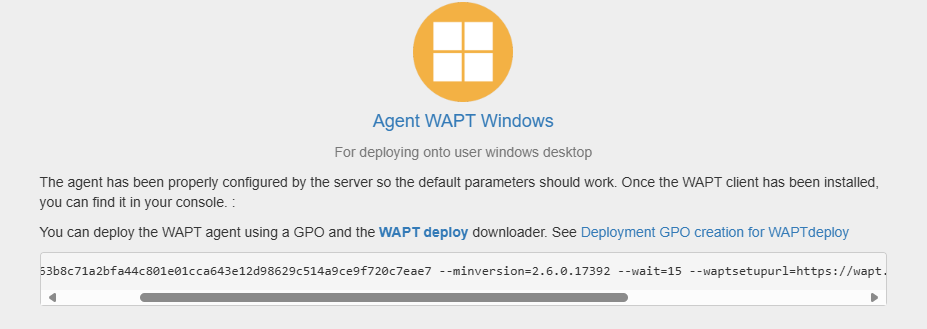
It seems to me that everything is accessible and with the correct version.
But how can we be sure? Are there logs to monitor?
Web interface:
- Screenshot 2025-08-06 152347.png (28.57 KB) Viewed 31281 times
Re: OS Deployment Problem - WADS
Published: August 6, 2025 - 3:41 PM
by Serv_info
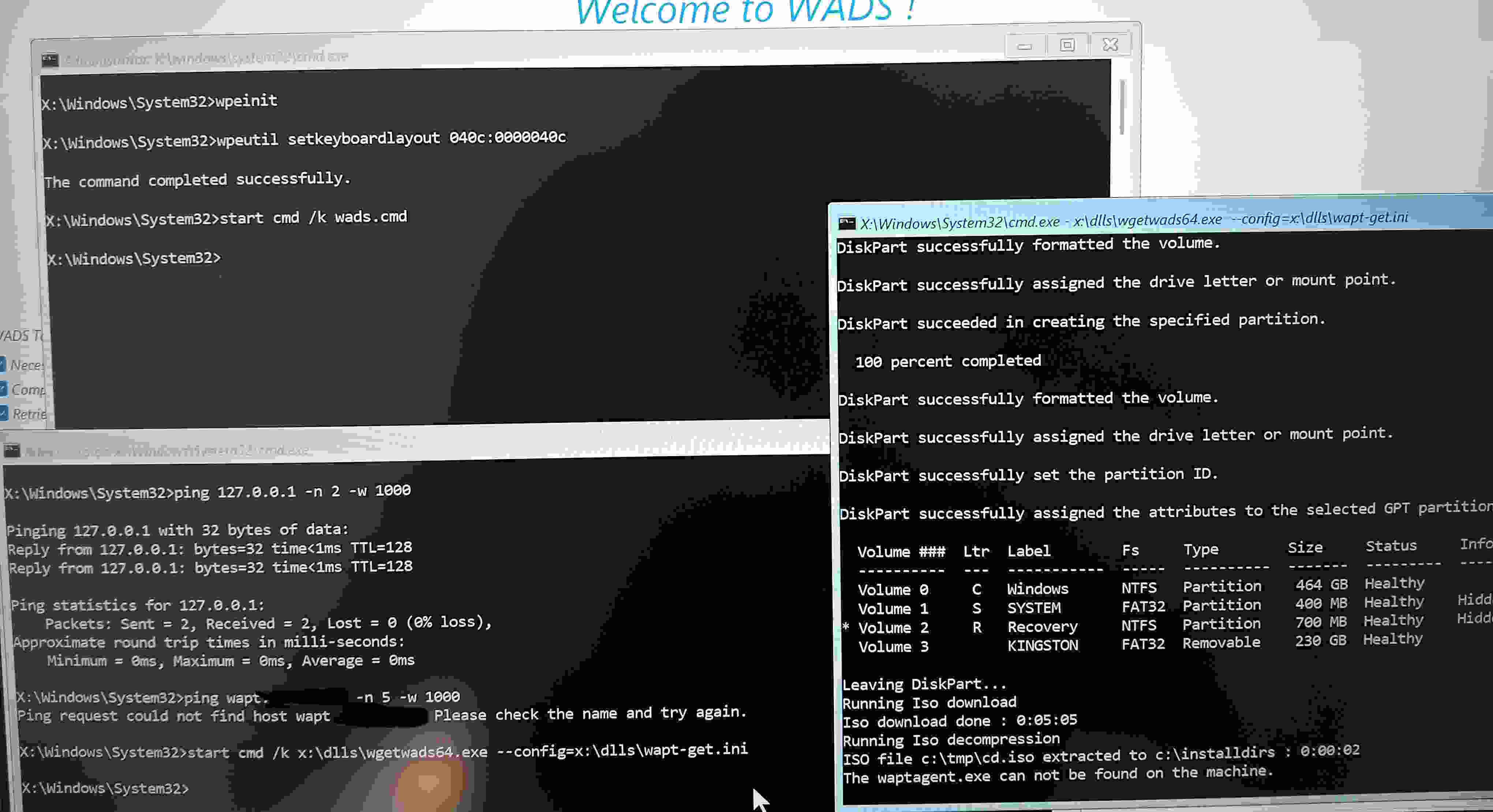
If I check the command prompts during deployment, I get this strange result: a ping that doesn't work
- 20250806_152653.jpg (238.15 KB) Viewed 31279 times
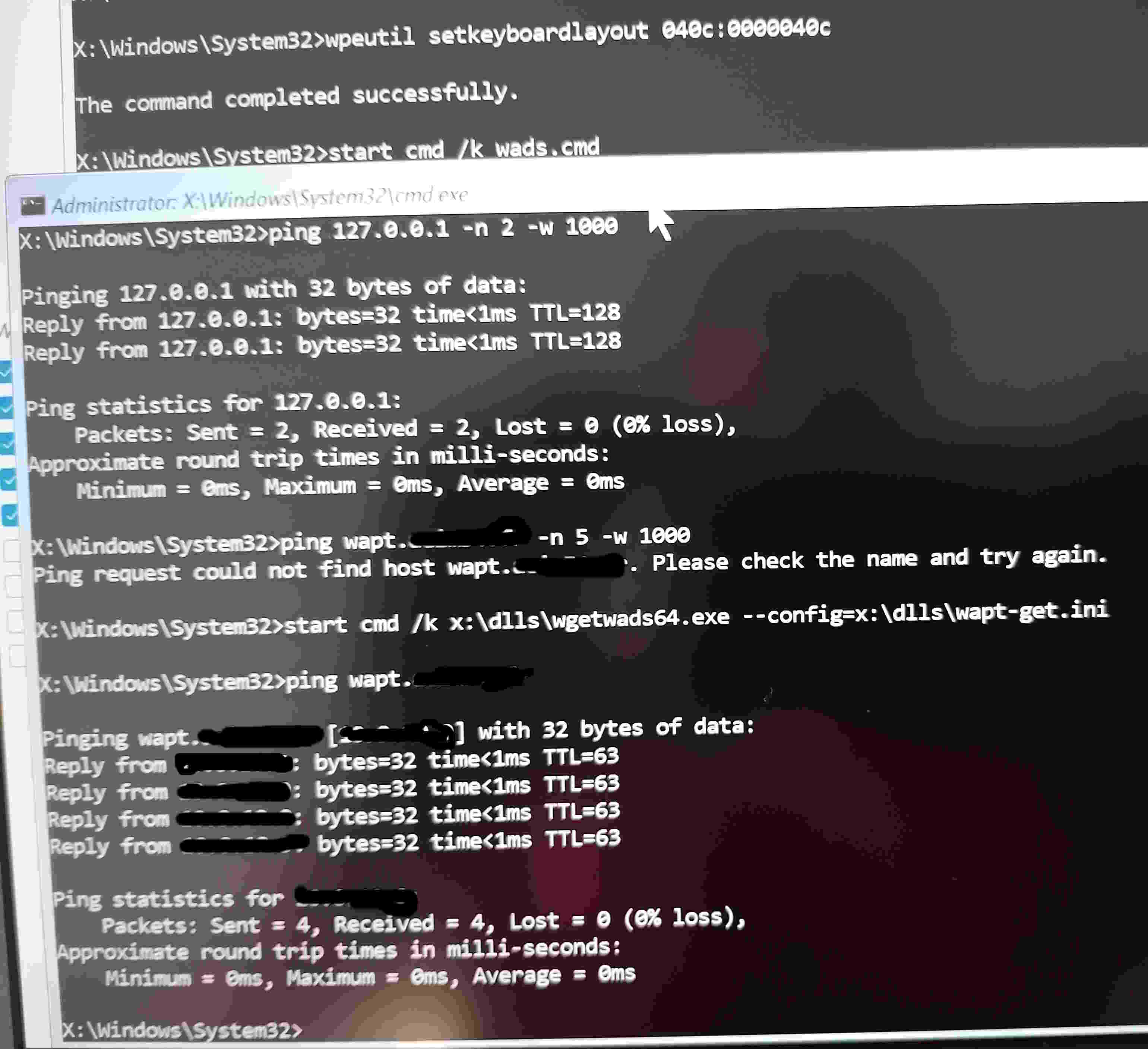
But if I ping it works:
- 20250806_152741.jpg (242.31 KB) Viewed 31279 times
Re: OS Deployment Problem - WADS
Published: August 6, 2025 - 8:06 PM
by sfonteneau
Thanks for the feedback. Could you check the hash of waptdeploy on your WAPT server? (
https://srvwapt.mydomain.lan/wads/hash.json)
and the hash of waptagent:
(https://srvwapt.mydomain.lan/wapt/waptagent.exe)
Do you have a secondary repository?
Re: OS Deployment Problem - WADS
Published: August 7, 2025 - 9:40 AM
by Serv_info
Hello,
I just checked the hash of
https: //srvwapt.mydomain.lan/wapt/waptagent.exe retrieved from the webpage
https://srvwapt.mydomain.lan/ in the file https://srvwapt.mydomain.lan/ .
There is no matching hash in the JSON file.
We are currently deploying secondary repositories (39) with rules, so it's quite possible the problem arose at that time. But where is the problem coming from?
Re: OS Deployment Problem - WADS
Published: August 7, 2025 - 09:47
by sfonteneau
I don't understand, you don't have waptagent.exe in this file at all???
Re: OS Deployment Problem - WADS
Published: August 7, 2025 - 10:05 AM
by Serv_info
Yes, but the hash doesn't match
Re: OS Deployment Problem - WADS
Published: August 7, 2025 - 10:46
by sfonteneau
That's strange; it's as if the agent generation didn't work.
You can try going to "Tools" -> "Sign executables" in the console and try again.
Re: OS Deployment Problem - WADS
Published: August 7, 2025 - 12:30
by Serv_info
Thank you very much, the procedure worked.
However, now I am getting this error message even on machines that we have already deployed with wapt on Windows 11.
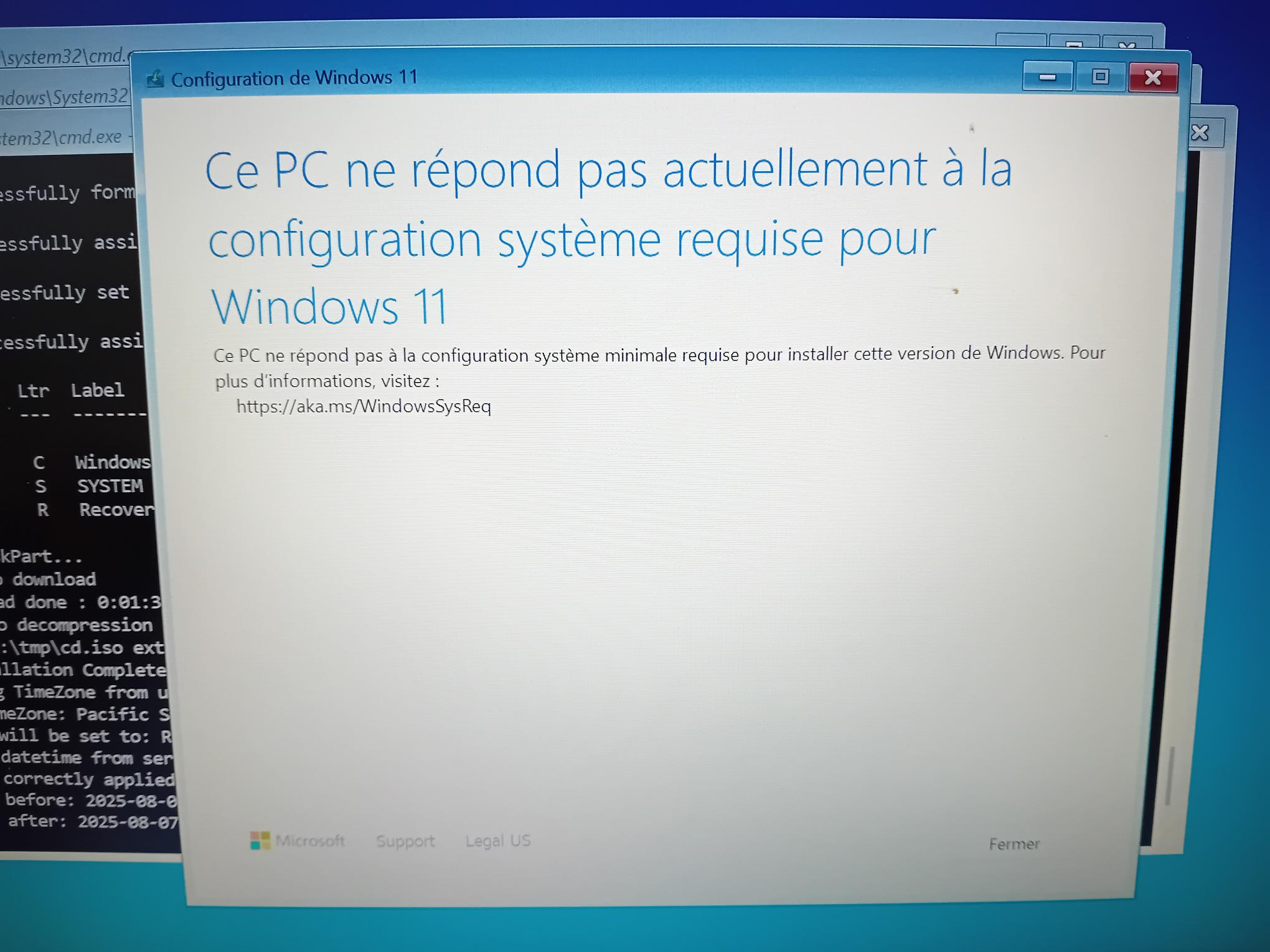
- 20250807_111838.jpg (229.62 KB) Viewed 31184 times
Any ideas?