Page 1 of 1
[RESOLVED] The console no longer displays outdated package versions
Published: March 11, 2026 - 02:11
by lfkl
Good morning,
Due to a display problem on the WAPT console, I had to delete the "waptconsole.ini" file in %APPDATA%.
Since then, obsolete versions of packages no longer appear in red in the private repository (see attached file).
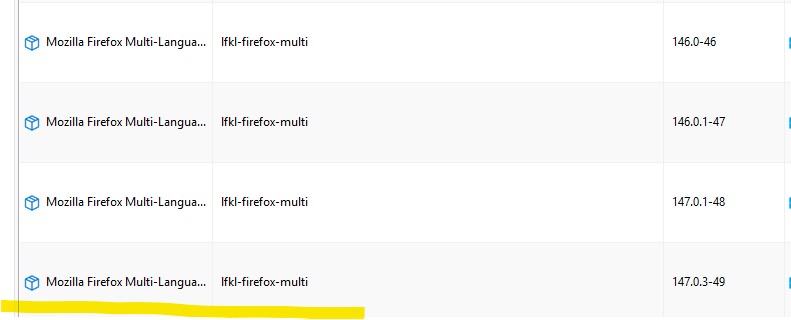
- latest version not in red.jpg (28.14 KB) Viewed 8558 times
How can the problem be fixed?
Thank you for your time and help on this matter!
Wapt Enterprise 2.6.1.17765, Debian 12 server, console installed on W11 Education 64bits.
Re: The console no longer displays outdated package versions
Published: March 11, 2026 - 6:02 PM
by bkolovljanovic
Hello,
just a thought, if you import at least one package from a repository, then close and reopen the console, see if the problem reappears.
Since it's based on the last repository used.
But I'm not 100% sure if this will solve the issue.
[RESOLVED] Re: The console no longer displays outdated package versions
Published: March 12, 2026 - 01:25
by lfkl
Hello,
thank you so much, this solved my problem; the outdated packages are now showing up in red again.
I'll keep this tip in mind!
Have a good day.
Re: [SOLVED] The console no longer displays outdated package versions
Published: March 12, 2026 - 11:50 AM
by sfonteneau
Hello,
just so you know, the red display of obsolete package versions will disappear.
You will only need to use "import from internet" and select the latest version.
The red display was incorrect anyway.
To know if a package is obsolete, you need to know the list of machines...
Re: [SOLVED] The console no longer displays outdated package versions
Published: March 12, 2026 - 3:26 PM
by dcardon
Hello Ramses,
To clarify, the display of obsolete package versions in red has been removed. The red display was incorrect because it was calculated solely based on the package version and not on the capabilities of the network's workstations, using a JSON file downloaded from the WAPT store. Furthermore, the availability of a newer package is linked to the package's origin, which is not currently preserved during import.
To illustrate the problem, for example, a tortoisegit package for Windows 7 will always be obsolete because the latest versions no longer support Windows 7, but the Windows 7 package remains relevant for older operating systems.
To see which packages need updating, it's best to use "import from internet" and check the "latest version only" box. The grid will then display all the packages that need updating (which correspond to the obsolete packages).
We'll see if we can reactivate this display in the main grid. The problem is simply figuring out how to avoid unnecessary calculations.
Have a good day,
Denis