Page 1 of 1
package imported from the internet
Published: April 22, 2017 - 1:31 PM
by Stenon
Hi,
Since the 1.3.12.13 update, I've been getting the following error:
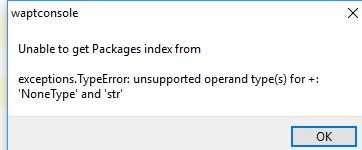
- errorImport.jpg (11.6 KB) Viewed 7392 times
But in version 1.3.9 it worked very well...
FYI: I'm running Windows 10 Pro 64-bit and my server is on Linux Debian.
THANKS !
Re: Package imported from the internet
Published: April 22, 2017 - 2:45 PM
by sfonteneau
Hello,
could you tell us more?
What URL are you using for the external repository? (http/https)
Which package are you trying to duplicate?
Simon
Re: Package imported from the internet
Published: April 30, 2017 - 9:25 AM
by Stenon
Hi,
Yes, I forgot to mention that when I click on the "Import from internet" tab, I get the following error:
I can't see any of the packages you're offering...
Of course I can download them via the web... but I can no longer do so from the Wapt console
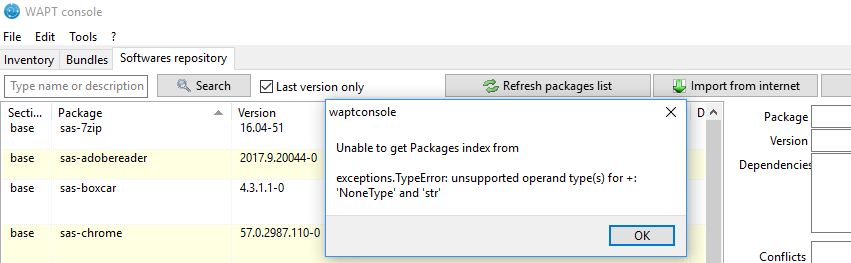
- error1.jpg (36.58 KB) Viewed 7363 times
THANK YOU
Re: Package imported from the internet
Published: April 30, 2017 - 12:54 PM
by Stenon
OK, it works!
I deleted a line in my configuration and voila, it works again.
I don't know why the "Authorized External Keys dir" field was referencing my computer's directory C:\app\roaming... (I don't remember exactly).
To summarize, after the error, I clicked on "modify" in the top right corner and emptied the "Authorized External Keys dir" field. Cheers
!
Re: Package imported from the internet
Published: April 30, 2017 - 1:19 PM
by Stenon
Hi
details:
I was able to reproduce the error on my other server
After the server update, the following field is causing a problem:
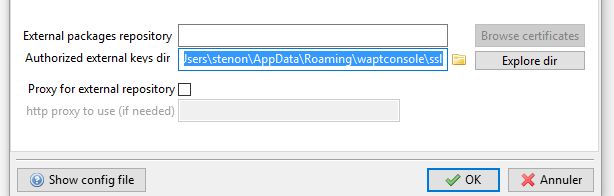
- error.jpg (19.41 KB) Viewed 7358 times
Simply delete it and the TIS list will appear!