Page 1 of 1
[SOLVED] waptserver CRITICAL login failed WaptUsersDoesNotExist
Published: February 19, 2020 - 3:15 PM
by grundrickt
Hello.
After installing Wapt Server 1.8 on Debian 9.12, I receive this error message in my syslog during the first unsuccessful attempt to connect from a Windows machine using the Wapt console:
2020-02-19 14:58:54,334 [waptserver] CRITICAL login failed WaptUsersDoesNotExist('
I'm also getting this kind of error:
[waptserver] CRITICAL Unable to upgrade DB structure, init instead: ProgrammingError('relation "hosts" does not exist\n',)
For your information, the settings in the console (on the Windows side) (Wapt server URLs are green) are OK.
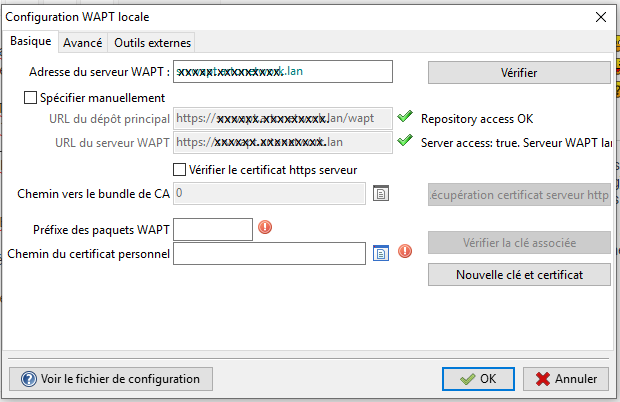
Does anyone have any idea how to get me out of this problem?
Thanks in advance...
Frederic Hebrard,
Senior System and Network Technician
Re: [waptserver ] CRITICAL login failed WaptUsersDoesNotExist
Published: February 19, 2020 - 8:40 PM
by dcardon
Good evening,
it seems the WAPT database wasn't created in PostgreSQL. This is the first time I've seen this... Normally, the server creates or updates the database structure on its first startup. Was this a clean install or an update? Could you please specify the exact version (1.8.x.wxyz)?
Sincerely,
Denis
Re: [waptserver ] CRITICAL login failed WaptUsersDoesNotExist
Published: February 19, 2020 - 9:06 PM
by grundrickt
Good evening,
This is my first installation following the instructions in the website's installation documentation.
Therefore, the server version is the one installed using apt, as indicated on the site.
I initially tried with Debian version 10 and encountered the same problem. So, I reinstalled version 9.12, as recommended in the installation documentation. Unfortunately, I still get the same error.
I'll send you the full version number tomorrow morning, as I'm currently out of the office.
Thank you for your prompt reply.
Re: [waptserver ] CRITICAL login failed WaptUsersDoesNotExist
Published: February 20, 2020 - 09:04
by grundrickt
@dcardon
Here is my version number:
Community Edition 1.8.1.6742
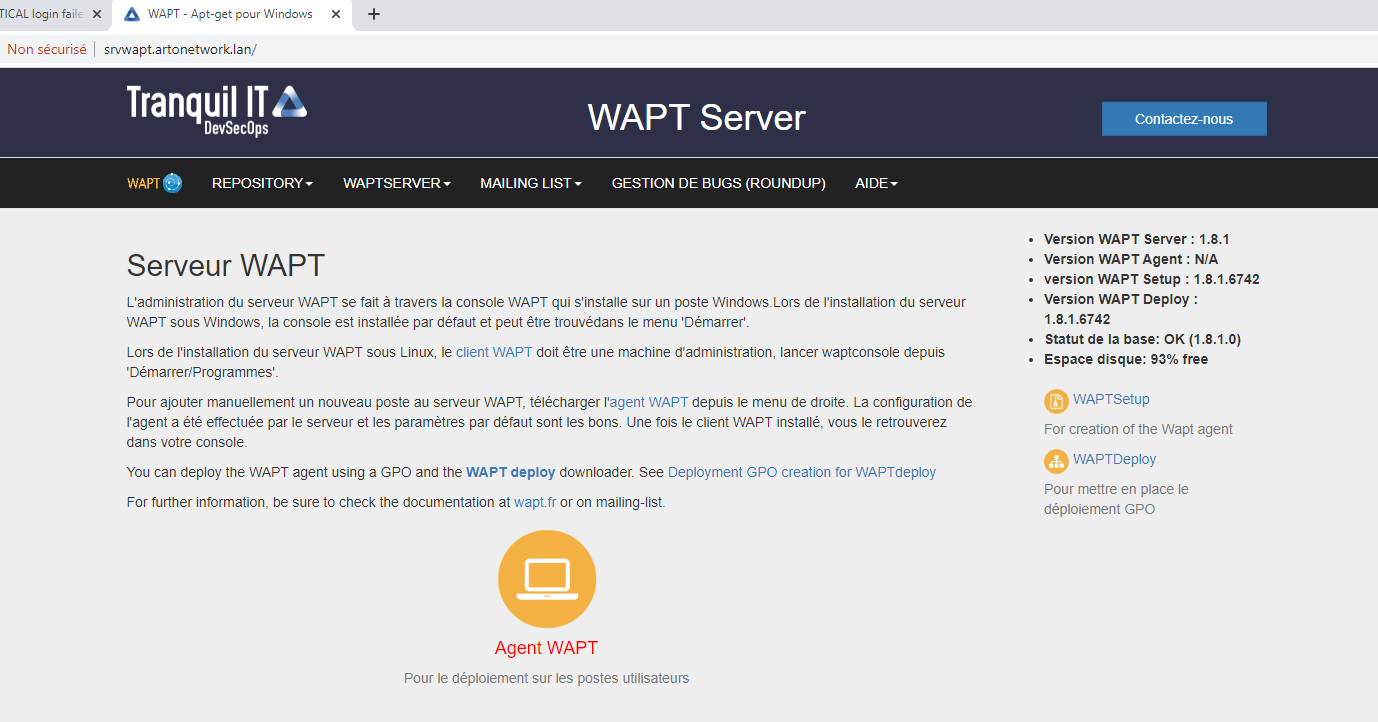
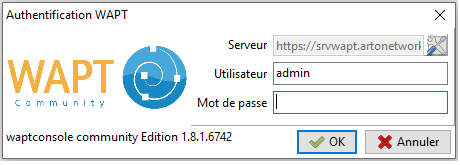
Regards,
Frederic
Re: [waptserver ] CRITICAL login failed WaptUsersDoesNotExist
Published: February 20, 2020 - 10:39 AM
by dcardon
Hello grundrickt,
It seems to me that you installed a nightly build before downgrading to 1.8.1. The database version should show 1.7.6.6 and not 1.8.1 on the server's homepage.
Regards,
Denis
Re: [waptserver ] CRITICAL login failed WaptUsersDoesNotExist
Published: February 20, 2020 - 11:26 AM
by grundrickt
Hello Denis,
Personally, I don't think I installed version 1.7 before; I just used the repository provided on the website
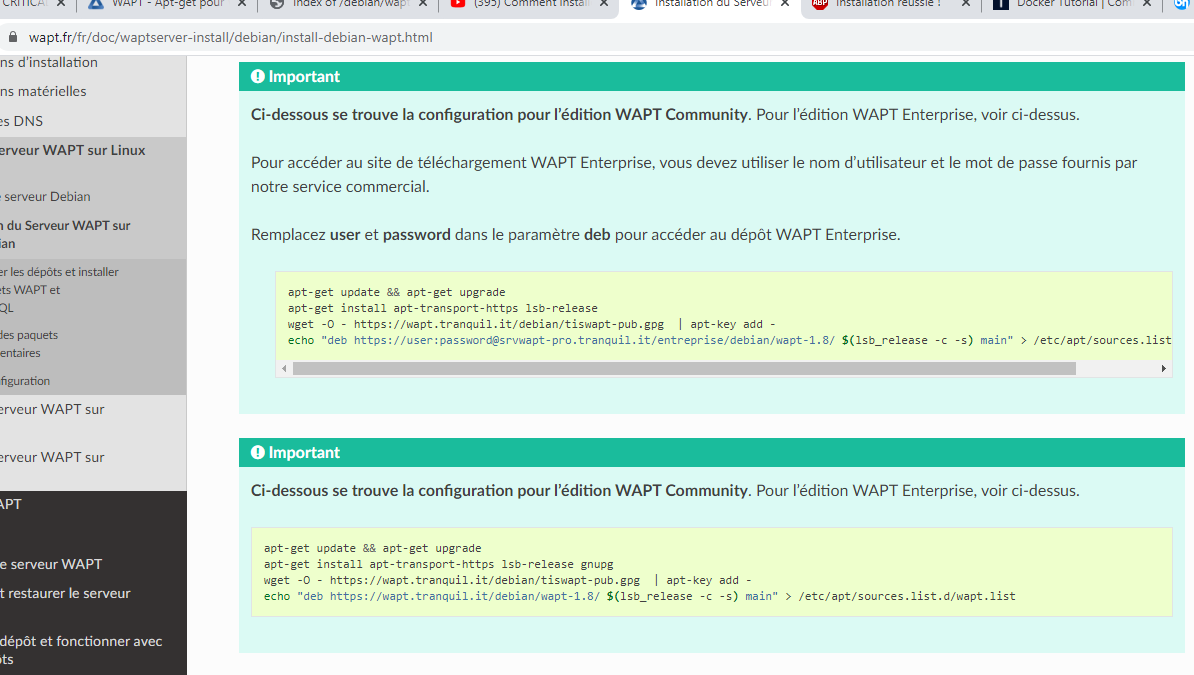
for the community version. It clearly states 1.8,
as does my wapt.list file.

Should I do a clean install, this time modifying the repository URL and using version 1.7?
(This isn't a problem for me if it resolves the issue.)
Regards,
Frederic
Re: [waptserver ] CRITICAL login failed WaptUsersDoesNotExist
Published: February 20, 2020 - 7:30 PM
by vcardon
grundrickt wrote: ↑Feb 20, 2020 - 11:26
Should I do a clean install this time, modifying the repository URL and using version 1.7?
The process should be restarted from the stable 1.8.1 version rather than the nightly version.
There are several months of improvement in version 1.8.1 compared to 1.7.4.
Sincerely.
Vincent
Re: [waptserver ] CRITICAL login failed WaptUsersDoesNotExist
Published: February 20, 2020 - 9:07 PM
by grundrickt
Thank you for all your help.
But how and where can I find the correct distribution for the stable version 1.8.1? I have NEVER intentionally installed a nightly build.
I created the wapt.source file by copying and pasting the command lines from the documentation.
Is this repository correct for installing 1.8?
Thanks again to everyone.
Sincerely, Frederic
[SOLVED]Re: [waptserver ] CRITICAL login failed WaptUsersDoesNotExist
Published: February 21, 2020 - 10:57 AM
by grundrickt
Hello.
Thank you so much for your help.
It works!
I uninstalled the server with `apt purge tis-waptserver tis-waptsetup`,
then did a simple `rm -r` of the wapt directory in `/opt`.
Next, I installed it with `apt install tis-waptserver tis-waptsetup`
, and now I was able to launch the console.
Sincerely,
Frederic
Re: [SOLVED]Re: [waptserver ] CRITICAL login failed WaptUsersDoesNotExist
Published: February 21, 2020 - 11:22 AM
by dcardon
Hello Frédéric,
grundrickt wrote: ↑Feb 21, 2020 - 10:57 AM
Hello.
Thank you so much for your help.
It works.
I uninstalled the server with `apt purge tis-waptserver tis-waptsetup`,
then did a simple `rm -r` of the wapt directory in `/opt`.
Next, I installed it with `apt install tis-waptserver tis-waptsetup`
, and then I was able to launch the console.
Sincerely,
Frederic
Thanks for your feedback!
For your information, regarding the database version number, we only change it when we make schema structure changes. And there are no changes in version 1.8.1 since version 1.7.6 (which hasn't been released). The structure was bumped to 1.8.1 in the master Git branch because we added columns for role and ACL management in the console. That's why the database structure version surprised me a bit...
Sincerely,
Denis