[SOLVED] waptserver CRITICAL login failed WaptUsersDoesNotExist

Share your tips or issues concerning the WAPT Console or WAPT Agent here
Forum Rules
Community Forum Rules
* English support on www.reddit.com/r/wapt
* French community support is available on this forum
* Please prefix the topic title with [RESOLVED] if it is resolved.
* Please do not edit a topic that is tagged [RESOLVED]. Open a new topic referencing the old one.
* Specify the installed WAPT version, full version, and build number (2.2.1.11957 / 2.2.2.12337 / etc.) as well as the Enterprise/Discovery edition.
* Versions 1.8.2 and earlier are no longer supported. The only questions accepted regarding version 1.8.2 are related to upgrading to a supported version (2.1, 2.2, etc.).
* Specify the server OS (Linux/Windows) and version (Debian Buster/Bullseye - CentOS 7 - Windows Server 2012/2016/2019).
* Specify the OS of the administration/package creation machine and the machine with the problematic agent, if applicable (Windows 7/10/11/Debian 11/etc.).
* Avoid asking multiple questions when opening a topic, otherwise it may be ignored. If there are multiple topics, open separate topics, preferably one after the other and not all at the same time (i.e., do not spam the forum).
* Include code snippets, screenshots, and other images directly in the post. Links to Pastebin, Bitly, and other third-party sites will be systematically removed.
* As with any community forum, support is provided voluntarily by members. If you require commercial support, you can contact Tranquil IT's sales department at 02.40.97.57.55
Locked
User avatar
grundrickt
Messages: 6
Registration: February 19, 2020 - 3:04 PM

February 19, 2020 - 3:15 PM

Hello.
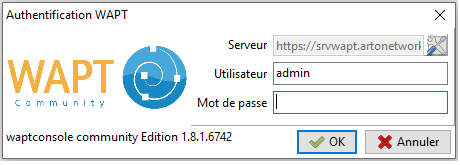
After installing Wapt Server 1.8 on Debian 9.12, I receive this error message in my syslog during the first unsuccessful attempt to connect from a Windows machine using the Wapt console:

2020-02-19 14:58:54,334 [waptserver] CRITICAL login failed WaptUsersDoesNotExist('

I'm also getting this kind of error:
[waptserver] CRITICAL Unable to upgrade DB structure, init instead: ProgrammingError('relation "hosts" does not exist\n',)

For your information, the settings in the console (on the Windows side) (Wapt server URLs are green) are OK.
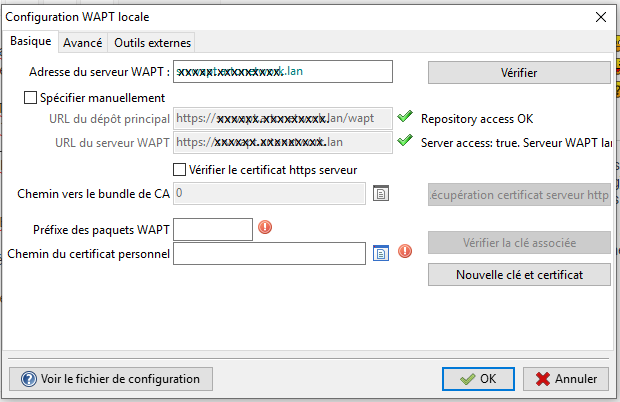
Picture

Does anyone have any idea how to get me out of this problem?
Thanks in advance...

Frederic Hebrard,
Senior System and Network Technician
User avatar
dcardon
WAPT Expert
Messages: 1932
Registration: June 18, 2014 - 09:58
Location: Saint Sébastien sur Loire
Contact :

February 19, 2020 - 8:40 PM

Good evening,
it seems the WAPT database wasn't created in PostgreSQL. This is the first time I've seen this... Normally, the server creates or updates the database structure on its first startup. Was this a clean install or an update? Could you please specify the exact version (1.8.x.wxyz)?

Sincerely,

Denis
Denis Cardon - Tranquil IT
Share your experiences on WAPT! Send us your blog and article URLs in the "Your Opinion of the forum, and we'll feature them on the WAPT
User avatar
grundrickt
Messages: 6
Registration: February 19, 2020 - 3:04 PM

February 19, 2020 - 9:06 PM

Good evening,
This is my first installation following the instructions in the website's installation documentation.
Therefore, the server version is the one installed using apt, as indicated on the site.
I initially tried with Debian version 10 and encountered the same problem. So, I reinstalled version 9.12, as recommended in the installation documentation. Unfortunately, I still get the same error.
I'll send you the full version number tomorrow morning, as I'm currently out of the office.
Thank you for your prompt reply.
User avatar
grundrickt
Messages: 6
Registration: February 19, 2020 - 3:04 PM

February 20, 2020 - 09:04

@dcardon
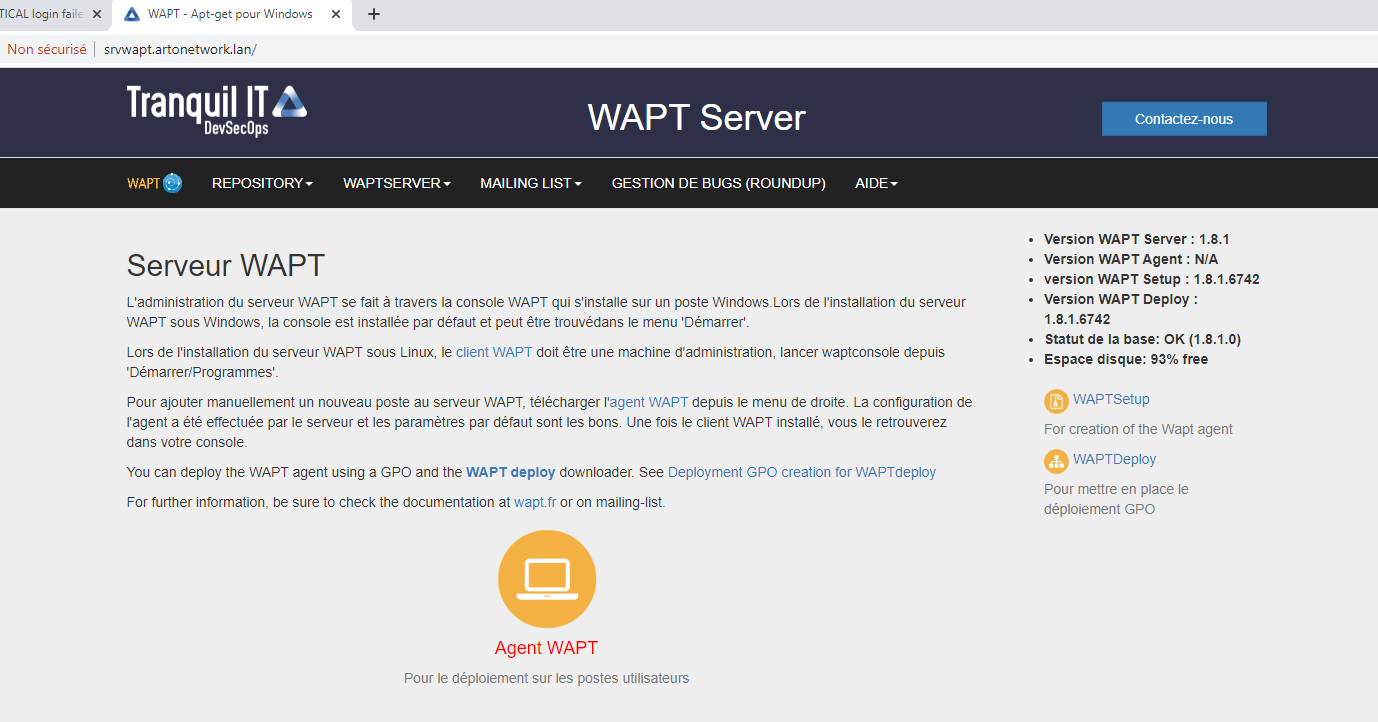
Here is my version number:

Community Edition 1.8.1.6742

Picture

Picture

Regards,
Frederic
User avatar
dcardon
WAPT Expert
Messages: 1932
Registration: June 18, 2014 - 09:58
Location: Saint Sébastien sur Loire
Contact :

February 20, 2020 - 10:39

Hello grundrickt,
It seems to me that you installed a nightly build before downgrading to 1.8.1. The database version should show 1.7.6.6 and not 1.8.1 on the server's homepage.
Regards,
Denis
Denis Cardon - Tranquil IT
Share your experiences on WAPT! Send us your blog and article URLs in the "Your Opinion of the forum, and we'll feature them on the WAPT
User avatar
grundrickt
Messages: 6
Registration: February 19, 2020 - 3:04 PM

February 20, 2020 - 11:26

Hello Denis,

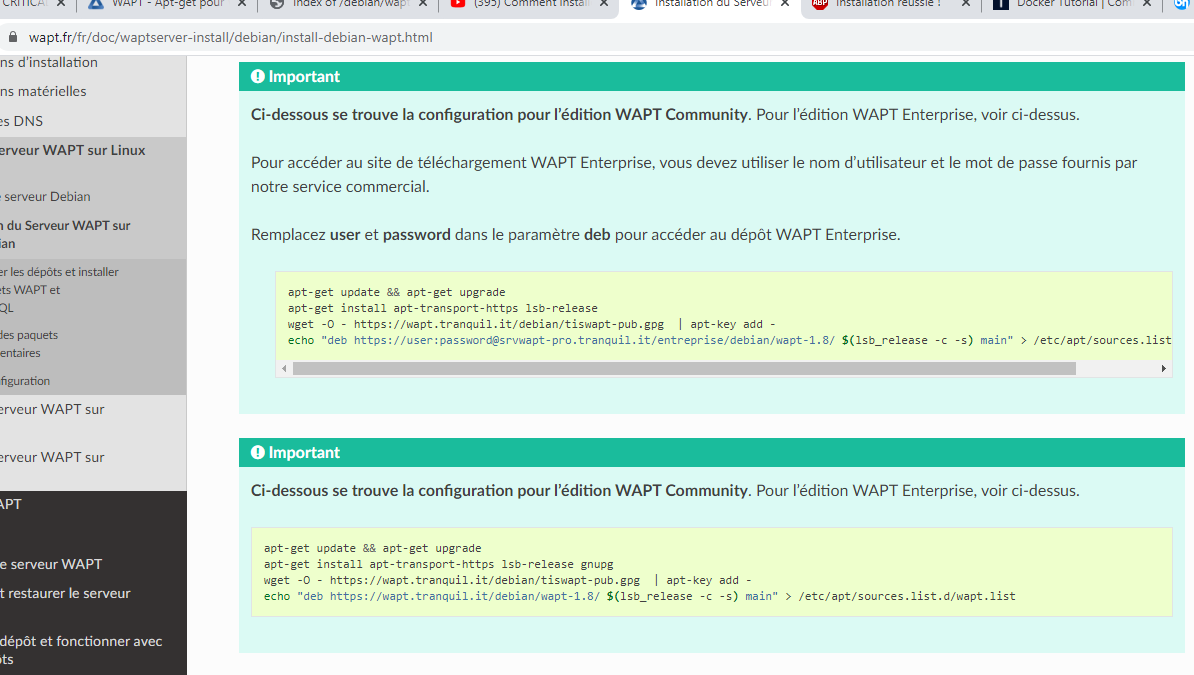
Personally, I don't think I installed version 1.7 before; I just used the repository provided on the website
Picture
for the community version. It clearly states 1.8,

as does my wapt.list file.
Picture

Should I do a clean install, this time modifying the repository URL and using version 1.7?
(This isn't a problem for me if it resolves the issue.)

Regards,
Frederic
User avatar
vcardon
WAPT Expert
Messages: 278
Registration: Oct 06, 2017 - 10:55 p.m.
Location: Nantes, France

February 20, 2020 - 7:30 PM

grundrickt wrote: Feb 20, 2020 - 11:26 Should I do a clean install this time, modifying the repository URL and using version 1.7?
The process should be restarted from the stable 1.8.1 version rather than the nightly version.

There are several months of improvement in version 1.8.1 compared to 1.7.4.

Sincerely.

Vincent
Vincent CARDON
Tranquil IT
User avatar
grundrickt
Messages: 6
Registration: February 19, 2020 - 3:04 PM

February 20, 2020 - 9:07 PM

Thank you for all your help.
But how and where can I find the correct distribution for the stable version 1.8.1? I have NEVER intentionally installed a nightly build.
I created the wapt.source file by copying and pasting the command lines from the documentation.
Is this repository correct for installing 1.8?

Thanks again to everyone.
Sincerely, Frederic
User avatar
grundrickt
Messages: 6
Registration: February 19, 2020 - 3:04 PM

February 21, 2020 - 10:57

Hello.
Thank you so much for your help.
It works!
I uninstalled the server with `apt purge tis-waptserver tis-waptsetup`,
then did a simple `rm -r` of the wapt directory in `/opt`.
Next, I installed it with `apt install tis-waptserver tis-waptsetup`
, and now I was able to launch the console.

Sincerely,
Frederic
User avatar
dcardon
WAPT Expert
Messages: 1932
Registration: June 18, 2014 - 09:58
Location: Saint Sébastien sur Loire
Contact :

February 21, 2020 - 11:22

Hello Frédéric,
grundrickt wrote: Feb 21, 2020 - 10:57 AM Hello.
Thank you so much for your help.
It works.
I uninstalled the server with `apt purge tis-waptserver tis-waptsetup`,
then did a simple `rm -r` of the wapt directory in `/opt`.
Next, I installed it with `apt install tis-waptserver tis-waptsetup`
, and then I was able to launch the console.

Sincerely,
Frederic
Thanks for your feedback!

For your information, regarding the database version number, we only change it when we make schema structure changes. And there are no changes in version 1.8.1 since version 1.7.6 (which hasn't been released). The structure was bumped to 1.8.1 in the master Git branch because we added columns for role and ACL management in the console. That's why the database structure version surprised me a bit...

Sincerely,

Denis
Denis Cardon - Tranquil IT
Share your experiences on WAPT! Send us your blog and article URLs in the "Your Opinion of the forum, and we'll feature them on the WAPT
Locked