Hello,
Regarding my problem, it's become widespread since the latest versions, affecting more than half of my network, so I really need to look into it. In any case, I can confirm the deletions aren't intentional. I've run an audit on the installer folder. I'll see what that reveals.
Regarding the problem we're having, I've put together a package that might help; it works in, let's say, 8 or 9 out of 10 cases

.
The principle is simple: retrieve the name that the MSI file that Edge or Chrome is supposed to look for in C:\Windows\installer using the command
Code: Select all
Get-WmiObject -Class Win32_Product | Where-Object { $_.Name -like "*Edge*" } | Select Name, LocalPackage
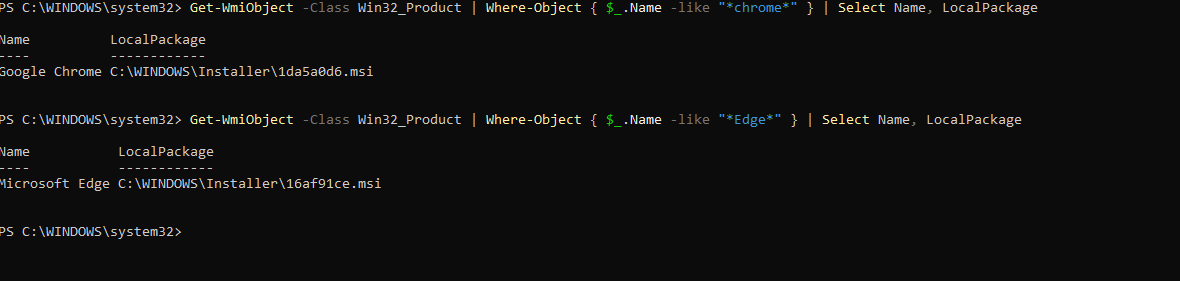
- Screenshot 2025-08-20 001140.png (22.48 KB) Viewed 20068 times
and then grab the version of Chrome/Edge that I'm going to use.
Next, you need to get all the "older" versions of Chrome and Edge Enterprise. Edge is fairly easy to find on the Microsoft catalog, but Chrome, apparently the official website says you can't download older versions. I managed to find a few versions on
www.filepuma.com (PS: I do not guarantee reliability)
If the versions aren't too old, you can find them on the Wapt store, download them to your PC and copy the .msi file
So basically, at the root of my package I have an .msi folder where I'll put my different MSI files, naming them with their version numbers
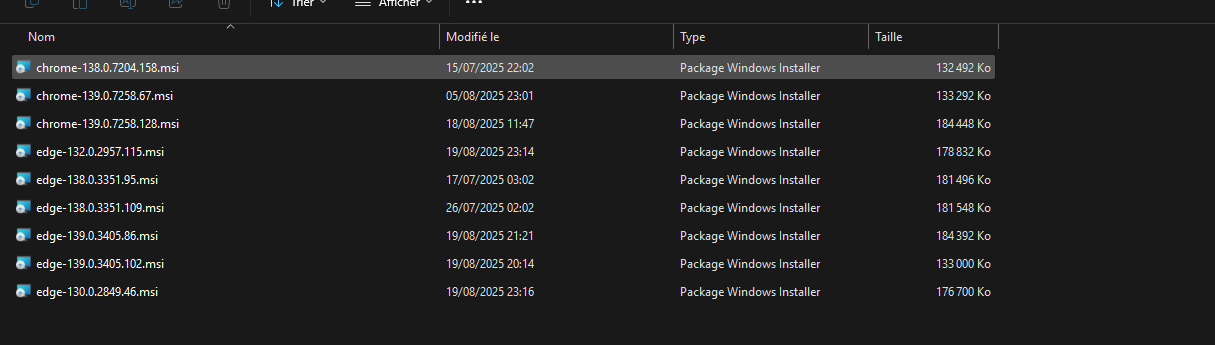
- Screenshot 2025-08-20 000126.png (39.81 KB) Viewed 20068 times
Once that's done, I send everything to my Wapt server and install it on a PC.
It will then launch the installer, which will copy the MSI files to a folder on the machine within WAPT (they will be deleted afterward). Then, during the package audit (there are two), it performs an initial audit to check the versions and then the names of the MSI files, which should be located in C:\Windows\Installer. The result will mark the file as missing or found, depending on whether it was located or not. The result is shown in the browser-msi audit log
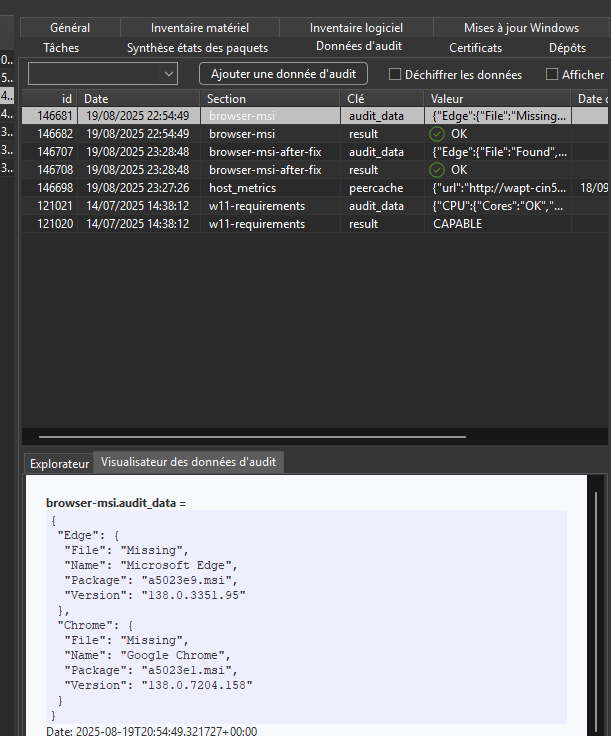
- Screenshot 2025-08-20 000759.png (45.33 KB) Viewed 20068 times
(File: status of the file, whether it is found or not in the installer folder)
Name: the name of the software
Package: the name of the MSI file it is supposed to look for in the installer folder
Version: the currently installed version)
If it cannot find the file, it will copy the msi from the wapt folder to c:\windows\installer, naming it according to the name I retrieved earlier with the Get-WmiObject command (name retrieved in the audit under "Package")
Once that's done, it performs another audit, and if the files were copied correctly, it marks them as found. The result of the second audit is located under browser-msi-after-fix
(The rest is in the next message since I can only post 3 screenshots.)



 .)
.) .
.